



Your 4G home broadband installation
Step 1:
Identifying the best location for radio receiver
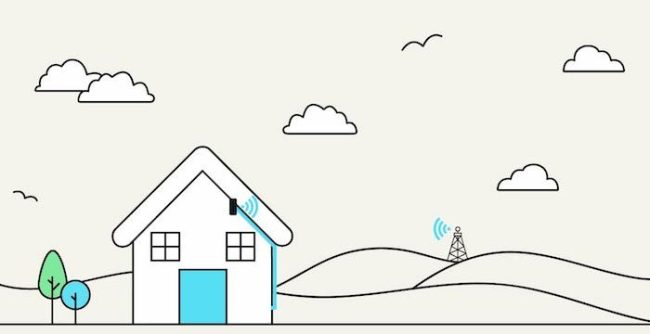
4G home broadband uses radio signals transmitted by a mast to a radio receiver on your property. Therefore, it requires line-of-sight – where the radio receiver can see the mast without obstruction. This means the radio receiver generally has to be positioned high up on a property. There are several receivers we can use and all will be small and lightweight (at most, a 400mm dish).
Our engineer will identify the best radio receiver and position for the receiver before they begin the work.
Step 2:
Accessing your property
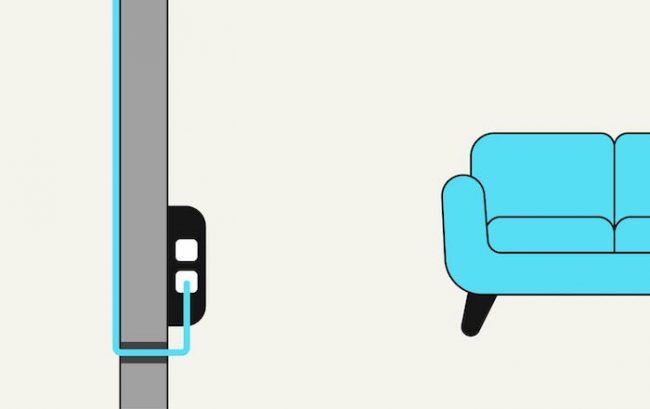
The engineer will discuss with you where the network cable will enter your home. We will need access to two plug sockets within 2 metres to where the cable enters your home.
Once the radio receiver has been fixed to the outside of your property, the network cable will be run to the agreed entry point and carefully fed through a neatly drilled 10mm hole into your property.
Step 3:
Going live
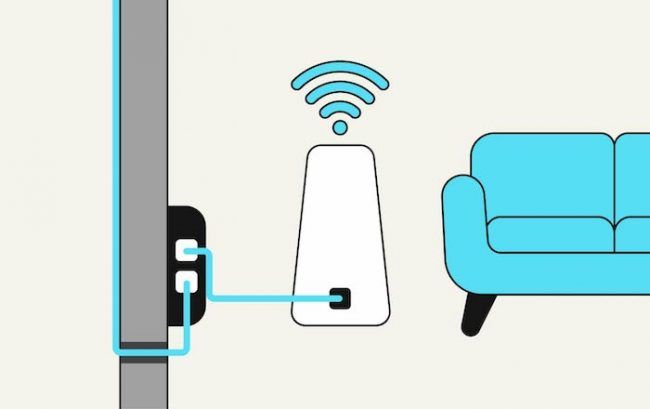
Once the router has been plugged into your internal connection box, the engineer will configure it, ensuring your new broadband service is ready to use! You can connect your devices to your router using ethernet cables or your new WiFi network.
To make sure everything’s working as it should, your engineer will test your new connection and answer any questions you might have.
Jack did the install and he was speedy, efficient, knowledgeable and very helpful. He showed me how the new system worked, set up the extender that I already had and even helped me connect my phone to the new WiFi. Thank you Jack!
How to make install day run smoothly
4G home broadband can take up to two hours.
Below are a few things to do before our engineers arrive:
1.
Live in rented accommodation? Don’t forget to ask your landlords permission to have a 10mm hole drilled through the wall so that our network cable can enter the property.
2.
Have a think about where you want our network cable to enter the property and ensure the engineer has space to work in that area. Our engineer will also be able to advise you on the best location.
3.
Two electric power sockets will need to be near where the cable enters. These will power your new PoE unit and router.
Frequently asked questions
All the equipment we use to get your broadband up and running is optimised for the Airband broadband network, creating a faster and more resilient broadband connection. Unfortunately, we cannot reconfigure any equipment you may already own.
The receiver that will be installed on your property is a small, lightweight piece of equipment, about the size of a 2 pint milk carton.
In the case where your property is a bit further away from our transmitter, the receiver may be a round, dish-like shape (400mm).
If we need to use a ladder, we will secure it to the outside of your property by drilling two very small holes. Once we’ve finished your installation, we will weatherproof the holes with coloured silicone in case we need to use them again. Our engineers will work to make these as unnoticeable as possible, depending on the colour of your outside wall.
The network cable will be run from the radio receiver to the point where it enters your property. Before doing anything, the engineer will discuss the cable route with you. The engineer will do their utmost to ensure the network cable is as discreet and neat as possible.
